Wireless hand-held transmitter with 5 channels and 3 action buttons
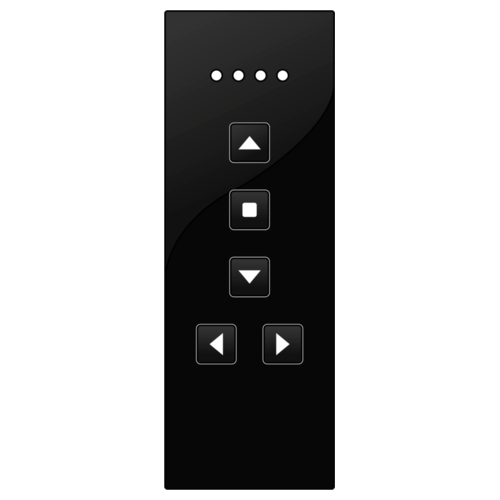
This hand-held transmitter controls a maximum of fifteen circuits independently (depending on the settings of the receivers) and can be used for one-, two- or four-button functions. Visual feedback of the channel selection and control via LEDs.
In combination with the USB RF interface for Niko Home Control (410-00099), the hand-held transmitter can also be used in Niko Home Control installations.
Product details

Remote control with 5 channels and 3 control keys
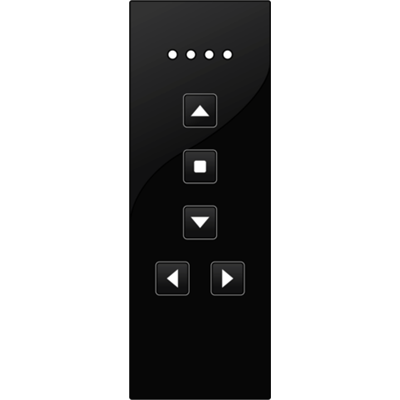
With this hand-held transmitter, you control a maximum of 15 circuits, independent of one another, but dependent on the receiver settings. You use the hand-held transmitter for 1-key, 2-key and 4-key functions. The operation status and channel selection are indicated with LEDs.
Specification description
Remote control with 5 channels and 3 control keys
- Not compatible with the wireless bridge, compatible with the wireless smart hub
- Communication protocol: Easywave
- Maximum radio frequency power: -4.1 dBm
- Operating frequency: 0.8683 GHz
- Dimensions (HxWxD): 108 x 38 x 14 mm
- Marking: CE
Related products
USB RF interface for Niko Home Control
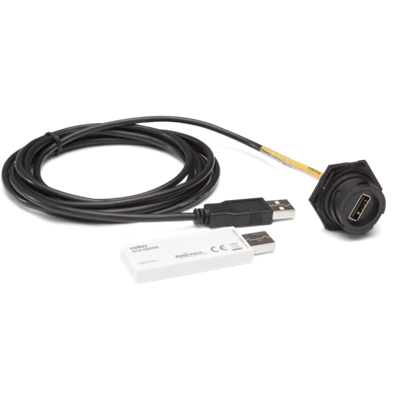
The USB RF interface makes it possible to use Niko wireless Easywave controls (with the exception of the remote control 05-312) in the Niko Home Control installation for bus cabling. This allows wireless controls to be installed: • on surfaces unsuited to cabling (e.g. glass or concrete partitions) • for the renovation of heritage-listed buildings • for expansions of existing installations where drilling or channelling work is not permitted • in office areas with movable partition walls • when complex cabling is to be avoided. The interface is shaped like a USB stick and can be connected to the connected controller (550-0000X) in the electrical cabinet, using the provided extension cable (3 m). The end of the extension cable is fitted with an assembly ring allowing the antennae to be attached to the outside of the electrical cabinet for optimal reception.
Niko dimmer switch for Hue system
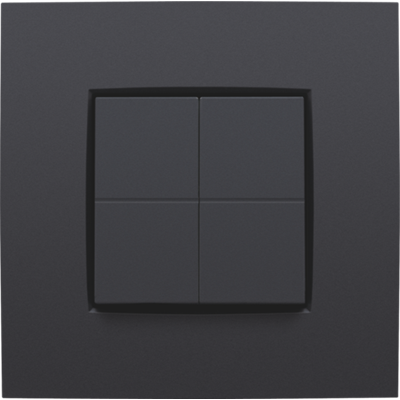
With this wireless and battery-free dimmer switch, you can effortlessly operate Philips Hue lamps. Determine in the Philips Hue app what each button must do (switching on and off, dimming, activating scene settings). No wall breaking or cable installation is needed. The dimmer switch can be mounted on a European flush-mounting box, screwed onto a wall (screws not included) or glued to a flat surface with double-sided adhesive strips (included). Please note that Philips Hue Bridge v2 is required and not included.
Niko dimmer switch, KNX®
This wireless and battery-free dimmer switch in Niko design can operate as a switch, a dimmer, a roller shutter control or a scene selector in a KNX® system. This dimmer switch works together with the KNX® wireless media coupler (360-33001) who transmits the KNX® commands to the KNX® bus. This allows you to easily extend a KNX® system without breaking walls or installing extra cables. Configure the dimmer switch buttons with the ETS software that is available on the KNX® Association website together with the KNX® programming adapter (360-39001). The following communication objects can be linked to the buttons: single channel, dimming and shutter control. The supported functions are: on, off, toggle, up, down, darker, brighter, scene number, send value in percentage, in angle, in 2 bits, in 8 bits. Up to six button combinations can be configured. The dimmer switch can be mounted into a European flush-mounting box, screwed onto a wall (screws not included) or glued to a flat surface with double-sided adhesive tape (included).